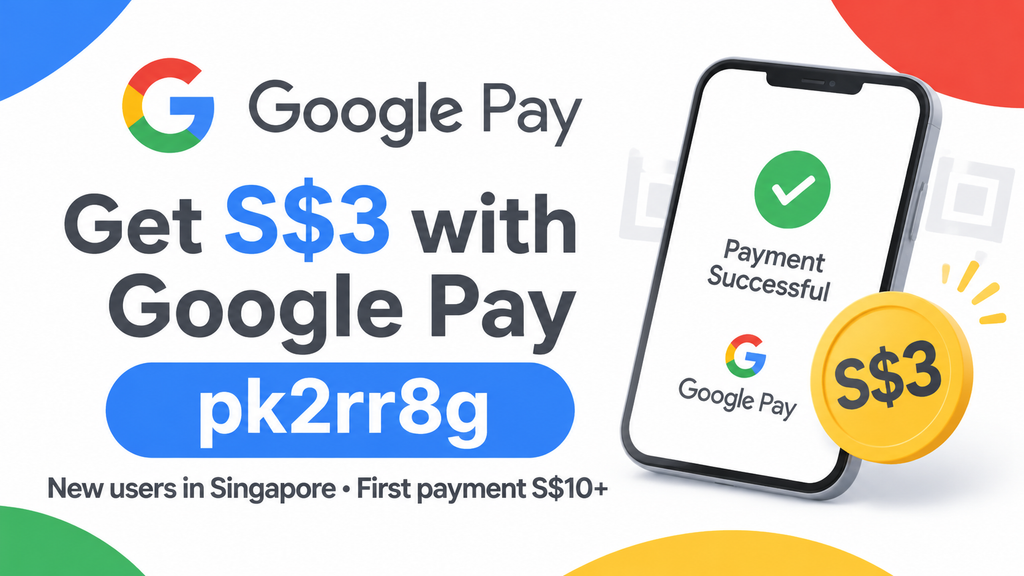
Use Google Pay referral code pk2rr8g when you sign up and you get $3 cash after your first payment of $10 or more. The offer is for new Google Pay users in Singapore, and the money goes straight into the bank account you link to the app.
- What Is Google Pay and Why Use It
- Google Pay Referral Code: pk2rr8g — What You Get
- How to Use the Google Pay Referral Code (Step-by-Step)
- Eligibility & Terms You Should Know
- Is the Google Pay Referral Bonus Worth It?
- How to Share Your Own Google Pay Referral Code
- FAQ
- What is the Google Pay referral code for Singapore in 2026?
- Does the Google Pay referral code still work in 2026?
- How much is the Google Pay sign-up bonus?
- Is there a Google Pay promo code separate from the referral code?
- How long does the bonus take to credit?
- Where does the $3 go? Is there a Google Pay balance?
- Can I use the code if I already have an account?
- Can I enter the referral code after signing up?
- Does sending money to my own account count?
- Is Google Pay the same as Google Wallet?
- What if the code pk2rr8g doesn't work?
- Get Your $3 Google Pay Bonus
Quick summary
- Referral code: pk2rr8g
- Referral link: https://g.co/payinvite/pk2rr8g (open it on your phone)
- Reward: $3 cash, paid to your linked bank account
- To qualify: new account, opt in to Offers & Rewards, then make a first payment of at least $10
- Time needed: about 5 to 10 minutes
What Is Google Pay and Why Use It
Google Pay Singapore is a separate app from Google Wallet. Wallet is where you keep cards for tapping to pay. The Google Pay app is a payments and rewards app built around PayNow. Google shut the standalone Google Pay app in the US in June 2024, but it still runs in Singapore and India.
With Google Pay you can:
- Send money to anyone in Singapore through PayNow, even if they don’t use Google Pay
- Pay at shops by scanning SGQR or PayNow QR codes
- Earn scratch cards and merchant offers when you pay
Why bother if you already have PayLah! or your bank app? For most people it comes down to the rewards on top of payments you’d make anyway. Splitting a hawker dinner or paying a friend back through Google Pay instead of your bank app can earn you scratch cards. Google says that on average, 80% of claimed scratch cards were worth $0.10 to $10 or a merchant discount, and 20% gave nothing.
Google Pay Referral Code: pk2rr8g — What You Get
| Item | Details |
|---|---|
| Referral code | pk2rr8g |
| New user reward | $3 cash |
| Minimum first payment | $10 |
| Where the reward goes | The default bank account linked to Google Pay |
| Who can use it | New Google Pay users with a +65 mobile number |
| Expiry | No fixed end date has been published. It’s an ongoing programme that Google can change at any time |
A note on the amount: Google’s Singapore help page still says the referral reward is $5. However, the invite message inside the app has said $3 throughout 2026. Go by the amount you see in the app when you sign up, since that’s the one Google applies.
How to Use the Google Pay Referral Code (Step-by-Step)
- Open the referral link on your phone. Tap g.co/payinvite/pk2rr8g. On a desktop it will just ask you to switch to mobile. The link takes you to the App Store or Google Play to download Google Pay (not Google Wallet).
- Sign up with your Singapore mobile number. Enter your +65 number, verify it with the SMS OTP and sign in with your Google account.
- Check that the code is applied. Tap your profile picture at the top right, then Referral code. If it’s blank, type pk2rr8g before you make any payment.
- Opt in to Offers & Rewards. You’ll usually see this prompt during setup. If you skip it, turn it on in Settings. The referral reward won’t trigger without it.
- Link a bank account. Add a supported Singapore bank account. Your reward will be paid into this account.
- Make your first payment of $10 or more. The easiest way is to PayNow $10 to a family member or friend who can send it back. Scanning a hawker or shop QR code for $10 or more also counts.
- Look for the $3 credit. Google doesn’t publish a fixed timeframe. Users have reported anything from almost instant to a few days. The $3 shows up as an incoming transfer in your linked bank account.
Tip from us: Do steps 3 and 4 before you pay. The most common reason people miss the bonus is making the first payment before the code or opt-in is in place, and the reward can’t be added afterwards.
Eligibility & Terms You Should Know
- New accounts only. Google says referrals are only for new Google Pay accounts. If you’ve used Google Pay Singapore before, even years ago, you won’t qualify.
- Same country code. You and the person who referred you need the same mobile country code. A +65 number works with this code. Overseas numbers don’t.
- One reward per new user. You can only use one referral code.
- Opt-in is required. You have to be opted in to Google Pay Offers & Rewards. You can opt out later in Settings.
- $10 minimum first payment. A $9.90 payment won’t count.
- Google can change or end the offer. Google can withhold rewards it considers fraud or abuse. Don’t set up several accounts on one device.
- Google Wallet doesn’t count. Adding a card to Google Wallet is not the same as signing up for the Google Pay app.
Is the Google Pay Referral Bonus Worth It?
For a few minutes of setup, yes. You don’t need to deposit or invest anything, there’s no lock-in, and the $10 you send can come straight back to you from family. That makes this one of the easiest $3 rewards in Singapore.
Keep expectations realistic, though. $3 is smaller than many bank and brokerage sign-up bonuses, and the scratch cards are random. Google Pay works best as an extra app for PayNow transfers you’d make anyway, not as a reason to change how you pay.
Good fit if you: split bills with friends, pay hawkers by QR, or collect small no-deposit referral rewards. Skip it if you: already have a Google Pay Singapore account, or don’t want another payments app on your phone.
How to Share Your Own Google Pay Referral Code
After you’ve made your first payment, you’ll get your own code:
- Open Google Pay and tap your profile picture.
- Tap Share next to Invite friends and earn.
- Send it by WhatsApp, Telegram or any other app.
Your friend also needs a +65 number and has to be new to Google Pay. Once they complete their first qualifying payment, you both get the reward.
FAQ
What is the Google Pay referral code for Singapore in 2026?
It’s pk2rr8g. You can also use the link g.co/payinvite/pk2rr8g on your phone.
Does the Google Pay referral code still work in 2026?
Yes. The Google Pay Singapore referral programme is running as of November 2026. No end date has been announced, so check the amount shown in the app when you sign up.
How much is the Google Pay sign-up bonus?
Invites in the app currently show $3 for new users. Google’s help page still says $5. The amount in the app is the one that applies.
Is there a Google Pay promo code separate from the referral code?
No. The referral code is the only sign-up code. Other promotions, such as scratch cards and merchant offers, show up in the app’s Rewards section after you opt in.
How long does the bonus take to credit?
Google doesn’t give a timeframe. Most users report receiving it within a few days of their first $10 payment.
Where does the $3 go? Is there a Google Pay balance?
There’s no stored balance in Google Pay Singapore. The reward goes to the default bank account you linked.
Can I use the code if I already have an account?
No. Referral rewards are only for new Google Pay accounts.
Can I enter the referral code after signing up?
You can add it under Profile > Referral code, but only before your first payment. After that it’s too late.
Does sending money to my own account count?
Send the $10 to another person, such as a family member, through PayNow or Google Pay. Transfers between your own accounts are a grey area and might not count.
Is Google Pay the same as Google Wallet?
No. In Singapore, Google Wallet holds your cards for tapping to pay. Google Pay is the PayNow and rewards app that runs the referral programme.
What if the code pk2rr8g doesn’t work?
First, make sure you haven’t used Google Pay Singapore before and that your number starts with +65. If it still fails, message us through the chat icon at the bottom right of this page and we’ll help.
Get Your $3 Google Pay Bonus
It takes about five minutes: download the app with code pk2rr8g, opt in to Offers & Rewards, and PayNow $10 to someone you trust. Your $3 lands in your bank account.
👉 Sign up with Google Pay referral code pk2rr8g
Code: pk2rr8g · New Singapore users only · $10 minimum first payment · Terms apply